
Shopify Tutorials

Make the search bar always visible (desktop and mobile)
Make it so the search bar is always visible without the need for clicking the search icon every time. Works on all free themes including Dawn.
Make the search bar always visible (desktop and mobile)
Make it so the search bar is always visible without the need for clicking the search icon every time. Works on all free themes including Dawn.
![Change any text on your Shopify store [works on all themes]](http://ezfycode.com/cdn/shop/articles/remove-1-1200x675.png?v=1733129364&width=533)
Change any text on your Shopify store [works on all themes]
Learn how to locate and then change any piece of text within your Shopify store, using either their own resources as well as an external extension.
Change any text on your Shopify store [works on all themes]
Learn how to locate and then change any piece of text within your Shopify store, using either their own resources as well as an external extension.
![How to hide out of stock products [Free themes]](http://ezfycode.com/cdn/shop/articles/remove-2-1200x675.png?v=1733129157&width=533)
How to hide out of stock products [Free themes]
Automatically hide out of stock products without leaving empty spaces in your collection page.
How to hide out of stock products [Free themes]
Automatically hide out of stock products without leaving empty spaces in your collection page.
![Add the "menu" word below hamburger menu [All free themes]](http://ezfycode.com/cdn/shop/articles/studio-slider-3-1-1200x675.png?v=1733128837&width=533)
Add the "menu" word below hamburger menu [All free themes]
Add text below the hamburger icon on mobile navigation, with extra customization options. Works on Dawn and official free themes.
Add the "menu" word below hamburger menu [All free themes]
Add text below the hamburger icon on mobile navigation, with extra customization options. Works on Dawn and official free themes.
![Create a "collection with tabs" Shopify section [copy and paste code]](http://ezfycode.com/cdn/shop/articles/collection-tabs-2-1200x675_ea483a5d-224a-4d83-b194-80ad04ab0c2c.png?v=1778894199&width=533)
Create a "collection with tabs" Shopify section [copy and paste code]
Improve your website's UX by showcasing your best products with an easy-to-browse tabbed collections section. Allow your clients to view dozens of products with few clicks.
Create a "collection with tabs" Shopify section [copy and paste code]
Improve your website's UX by showcasing your best products with an easy-to-browse tabbed collections section. Allow your clients to view dozens of products with few clicks.
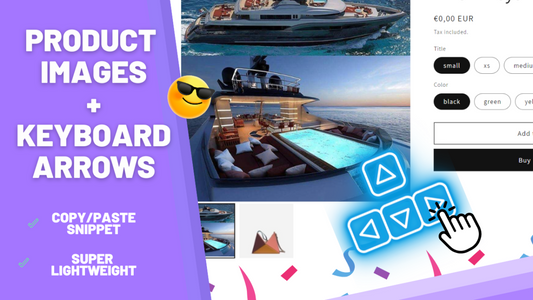
How to change product images with arrow keys
Enhance your Shopify store's UX by adding the ability to navigate through product images using the keyboard arrow keys.
How to change product images with arrow keys
Enhance your Shopify store's UX by adding the ability to navigate through product images using the keyboard arrow keys.